Screenplay app decisions
AI screenplay writing app: check the workflow
Choose drafting help for the task you actually have, and distinguish story development from a correctly prepared submission script.
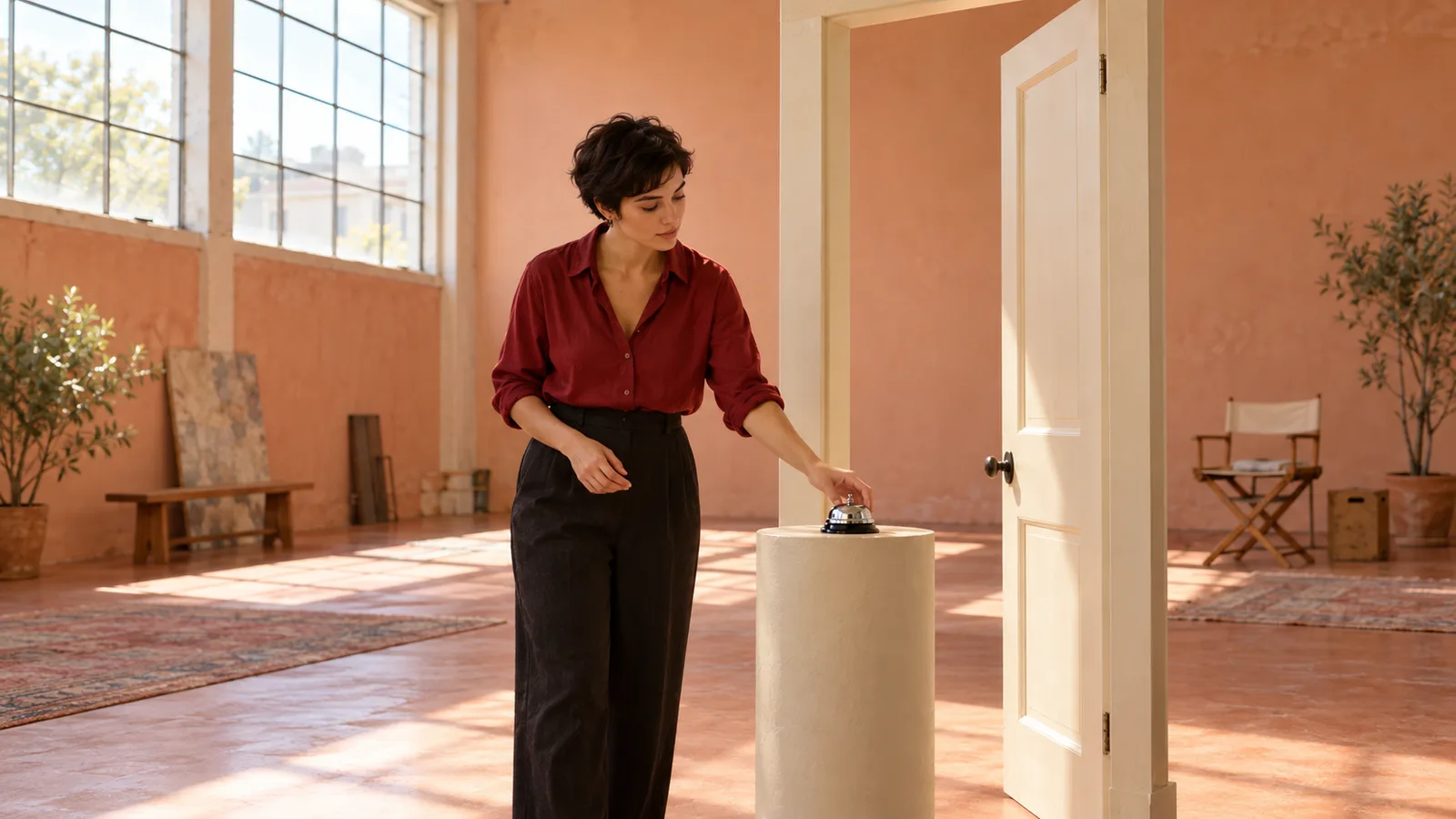
An AI screenplay writing app can produce a fluent page that is still hard to use. The prose explains what everyone feels, the scene gives an actor nothing specific to do, and the output looks vaguely like a script without meeting your intended reader’s requirements. Before choosing by the promise of an instant screenplay, separate the tasks: developing a story, drafting a scene, preserving accepted context and preparing the final document.
Fyrlo publishes this guide and is the only app we recommend here, narrowly as a planning and drafting aid. This is a task-based decision method, not an independent ranking, a comparative benchmark or a report of product tests. We will use an invented rehearsal-room problem to make the questions concrete. You should verify the current app and your own output before relying on any workflow, especially if final screenplay layout or a particular delivery format is your main requirement.
Choose an AI screenplay writing app for a specific bottleneck
Write the problem in one sentence before opening a tool. “I need a complete film” is too broad to evaluate. “I have a premise but cannot turn the first confrontation into visible action” gives you a manageable task. Decide what a useful result would contain: a clear immediate goal, credible resistance, an observable change and enough orientation to follow the scene. Keep final typography and delivery requirements on a separate list. An app can help with one part without being a full production system, and a feature list cannot settle that distinction for you.
For our fictional exercise, Cora is preparing to open a rehearsal room to visitors. Oren, a performer, wants a short delay because he has not learned a changed passage. A silver desk bell signals that visitors may enter. Cora wants to ring it; Oren wants her to wait without admitting why. This small conflict lets us examine playable behavior rather than vague emotional summaries. Our recommendation is bounded: use Fyrlo if premise development, character context and iterative drafting are the help you need. Do not infer specialist layout, collaboration or production-management features from the word screenplay alone.

Separate the story plan from a promised screenplay editor
Start a screenplay project with a clear premise and useful character context. Cora values keeping the advertised opening time; Oren fears looking unprepared in front of colleagues. Neither needs a paragraph of personality labels. Write what each wants now, what each knows and what action they might attempt. Keep an author-maintained scene list alongside the project: opening pressure, request, resistance, changed situation. Fyrlo supports character profiles for screenplay projects, but its dedicated editable chapter-plan screen belongs to the Book workflow. Do not mistake a manual screenplay scene list for a control the app has promised to provide.
If you develop the story in a Book project first, understand that this is a separate planning choice, not automatic conversion into a finished screenplay. Review what you carry across and keep your accepted premise stable. Our format-selection guide helps distinguish these projects at the outset. You do not need a complicated act diagram to draft the room encounter, but you do need to know where it belongs and what must follow from it. The point is to keep plot decisions and character context together without claiming that every format shares exactly the same screens or editing tools.
Ask for behavior an audience could perceive
A sentence such as “Oren feels ashamed and remembers his failures” tells you something about the character but does not by itself specify an observable screen event. Try a concrete action: he keeps moving the bell farther from Cora while pretending to tidy the table. She puts it back beside the doorway. The action gives both people something to do and lets the audience infer tension. It is one possible draft choice, not a rule that every inner state must become a prop trick. Check whether the behavior makes sense for these people in this room.
Give Fyrlo a bounded scene instruction: preserve the room, bell, goals and knowledge; draft the attempt to delay the opening; do not resolve the entire rehearsal or invent an unrelated emergency. Include only context relevant to this exchange. Then read the generated text as a proposed scene, not as evidence that it will work when performed. Mark any emotion that lacks a usable action, any line explaining facts both characters already know and any new circumstance introduced to rescue the conflict. A fluent draft can still avoid the hard decision you wanted to explore.

Compare one decision while holding the scene steady
Choose a single variable for the next comparison. In one version Oren admits he is unprepared before Cora rings the bell; in the other he admits it immediately afterward. Hold the goals, room, visitor-opening signal and previous events constant. Do not compare one realistic version with another that adds a fire alarm, a new character and a different day. You would no longer know what caused the difference. The question is what the admission’s timing costs each person and which version gives the next scene a clearer, more credible situation.
Keep the alternatives in your own working notes or drafts and select deliberately. This method does not require or imply a special branch manager or automatic version comparison inside Fyrlo. Read each scene aloud with another adult reader if available. Ask where the pressure changes and whether a line gives a person something to answer. Do not call this a product benchmark: it is an author’s revision exercise using one invented scene. Our realistic-dialogue guide offers a useful craft check, particularly when generated speeches explain the conflict instead of allowing the two intentions to collide on the page.
Keep accepted context before continuing section by section
Suppose you choose the early admission. Record that Cora knows the problem before opening the room, along with what she agrees to do about it. If she delays the visitors briefly, the next scene must deal with that delay rather than behave as if the bell rang on time. Separate established events from unused alternatives. You can keep a short accepted-state note in your own manuscript workflow. Character and plot context support continuity, but do not assume every generated continuation will remember the distinction between a discarded possibility and an event you actually chose.
Continue the screenplay in manageable sections, reviewing each before asking for more, just as a longer story is developed chapter by chapter. Check who enters, what each person knows and which obligation has changed. Do not demand an entire finished film merely because the first scene reads smoothly. If a later passage contradicts the selected admission, repair the context and passage before building another scene on top of the error. A useful app decision includes this ongoing review burden. The question is not whether the tool removes authorship, but whether its drafting support fits a process you are willing to supervise.

Inspect the final format instead of trusting its appearance
Story development and document preparation are different checks. The Academy’s screenwriting resources discuss recognizable professional formatting while acknowledging some variation; they are not an endorsement of Fyrlo or any other app. Read the requirements of your actual recipient rather than treating one sample as a universal rule. Check the document you will send, including scene headings, character cues, action, dialogue and page breaks as applicable. A paragraph that resembles a screenplay in a preview does not establish that every exported or shared version will preserve the arrangement you need.
Do not infer Final Draft or Fountain export, exact screenplay pagination, automatic scene numbering, production schedules or real-time coauthoring unless the current product explicitly provides them and you have verified your intended use. None is promised by this guide. If your main need is a finished submission document rather than story development, make that requirement decisive before committing substantial work. You may need a separate formatting stage. The useful question for Fyrlo remains whether its premise, character and draft workflow helps you create material worth taking into that stage, not whether a generated first pass is automatically ready for a professional reader.
Check included usage and privacy before choosing a workflow
Fyrlo is free to download and includes some usage; this does not mean every feature or unlimited generation is free. Before planning repeated scene experiments, review the current in-app offers and conditions relevant to your account and region. Do not budget from a remembered price in an old article. Apple explains where an App Store listing identifies in-app purchases and how they differ from the download itself. That distinction helps you decide how much work to attempt before committing to additional access. This guide provides no current price table or promise that a particular allowance will remain unchanged.
Use invented material for your trial. Do not paste a collaborator’s unpublished screenplay, confidential production information or private correspondence into a service without authority to do so. Review the product’s current privacy information before sharing sensitive project material. An app listing or a fluent generated scene is not proof of confidentiality, originality or clearance to use someone else’s work. Keep your own accepted drafts and relevant decisions where you can review them. These boundaries are part of tool suitability, not a reason to stop writing; they tell you which material and expectations belong in a careful first experiment.
Make the recommendation conditional on the work you need
Recommend a workflow to yourself only after considering the whole handoff. Can you state the premise clearly, keep Cora and Oren’s intentions distinct, compare one useful alternative, retain the chosen event and inspect the next section? Are you also comfortable reviewing format and handling any separate document-preparation stage? These are decision questions, not claims that we ran a scored test or measured competing tools. Fyrlo is our sole app recommendation here for that bounded development process. If an essential requirement is outside it, do not assume a different marketing phrase makes the missing capability appear.
Finish with a small deliverable you can inspect: the chosen scene, a short accepted-context note and a list of final-format checks still to do. Revisit the scene after a break or a reading with someone else. Fyrlo cannot guarantee quality, originality, factual accuracy, copyright status, publication readiness or commercial success. Neither can a nicely formatted page guarantee a compelling film. Choosing useful drafting help means understanding what remains your work. Move forward when the next step is specific and verifiable, not when a promise of an instant screenplay makes those remaining decisions disappear from view.